How to use LASSO

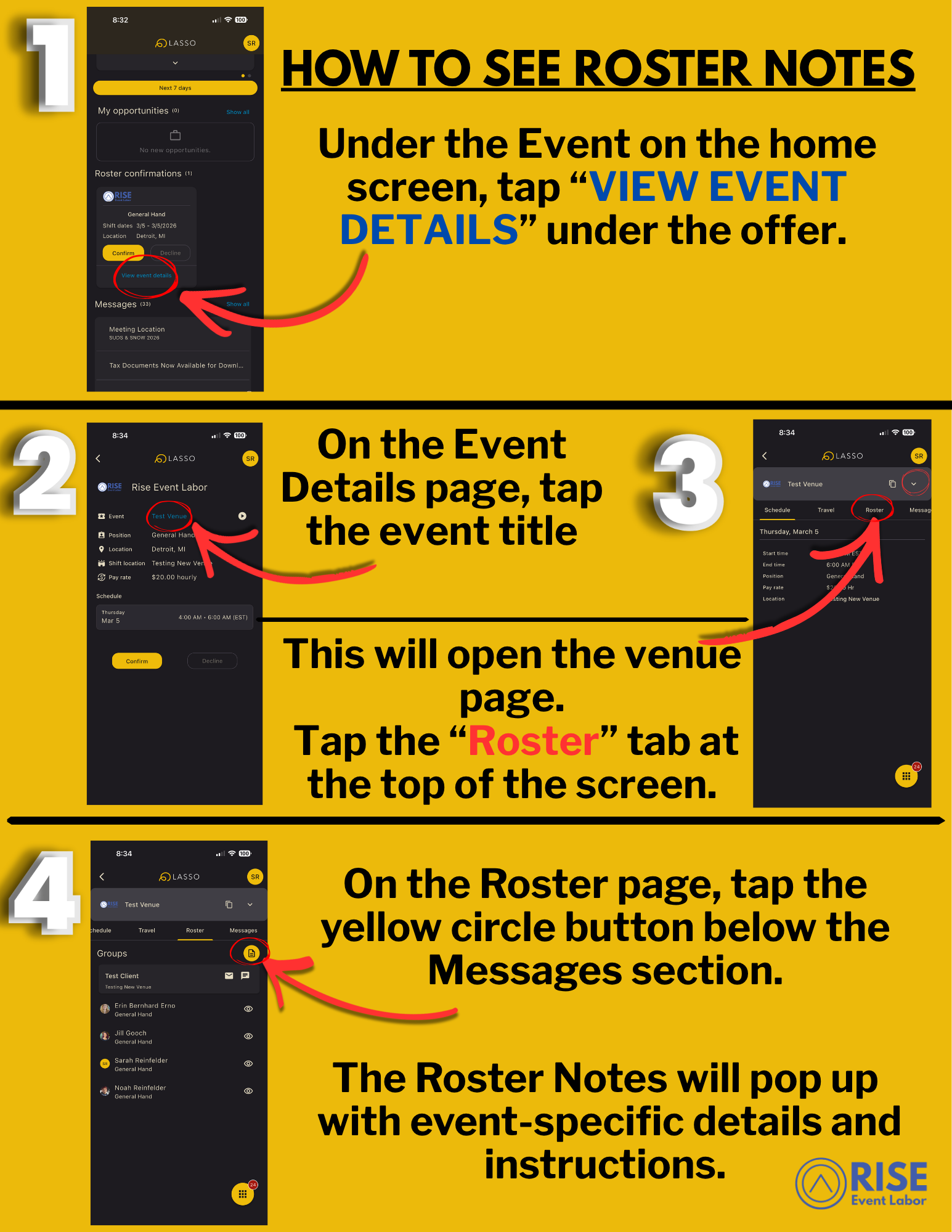
Step-by-step instructions for viewing and managing event rosters in the Lasso app, including tapping the 'View Event Details' link, opening the venue page, accessing the 'Roster' tab, and viewing roster notes.
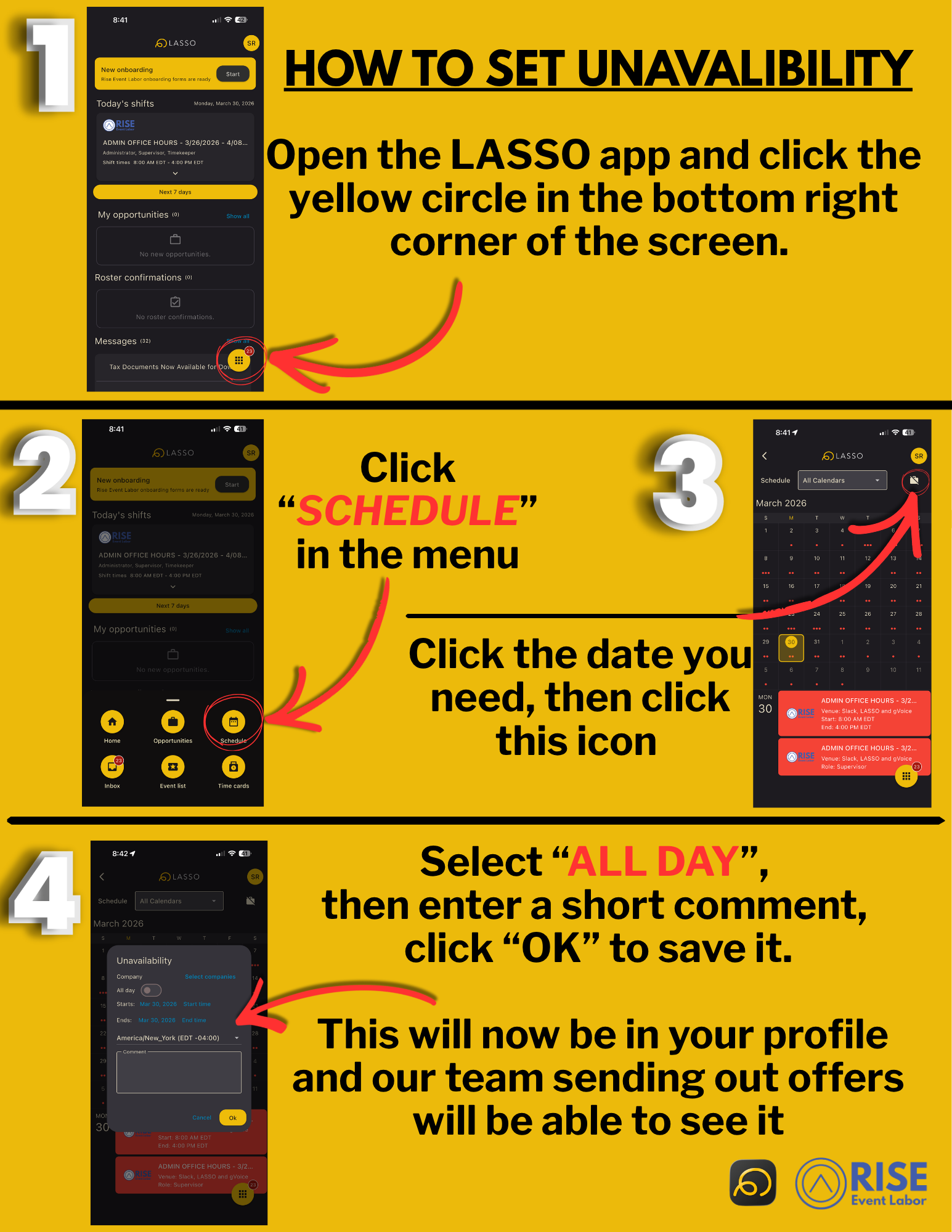
Step-by-step visual guide for setting unavailability in the LASSO app, showing app screens, icons, and instructions
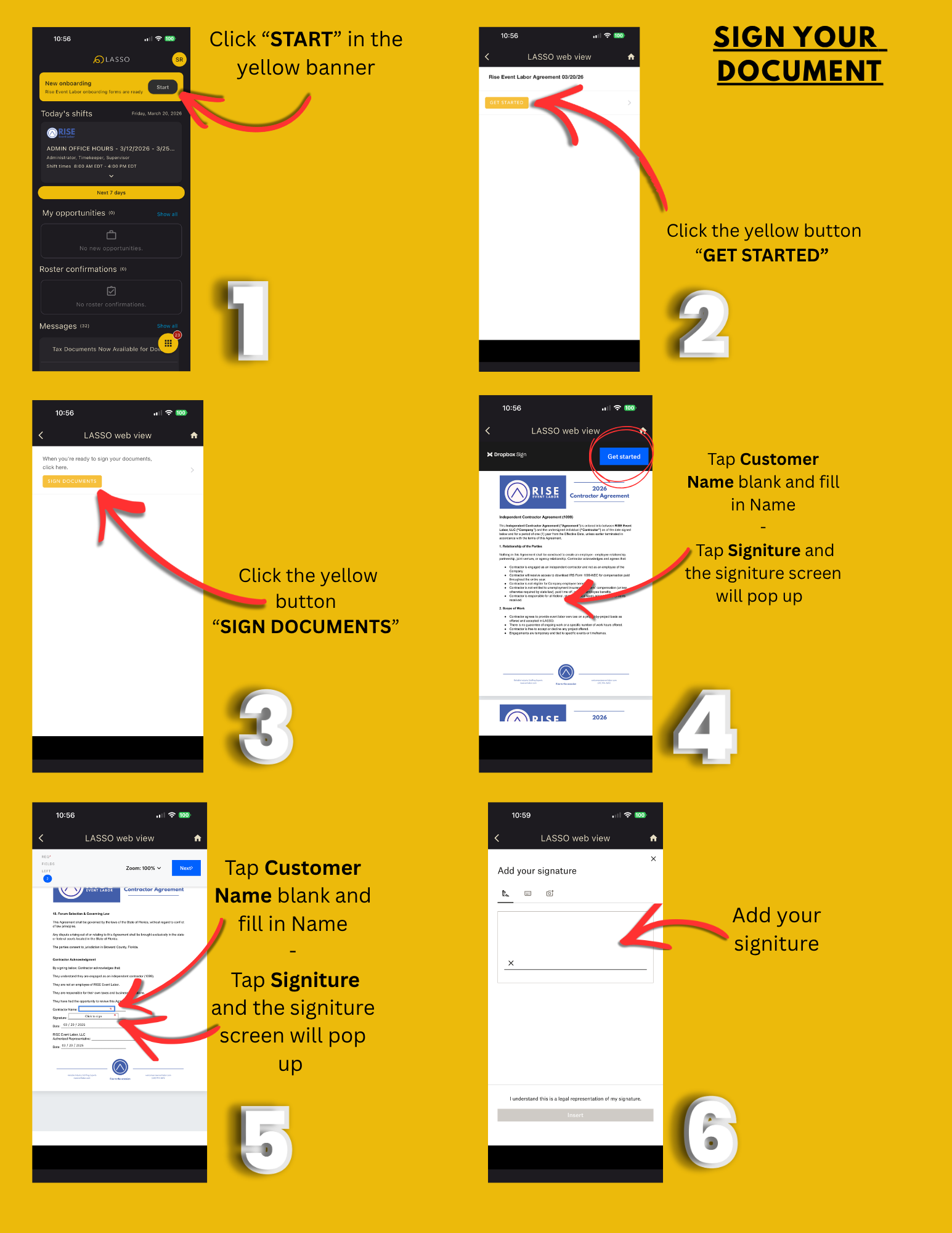
Step-by-step tutorial in a yellow background image on how to sign a document in an app. It shows multiple screenshots with instructions, arrows pointing to buttons such as 'Start,' 'Get Started,' 'Sign Documents,' and 'Next.' It details filling in customer name, adding a signature, and finalizing the signature process in the app interface.
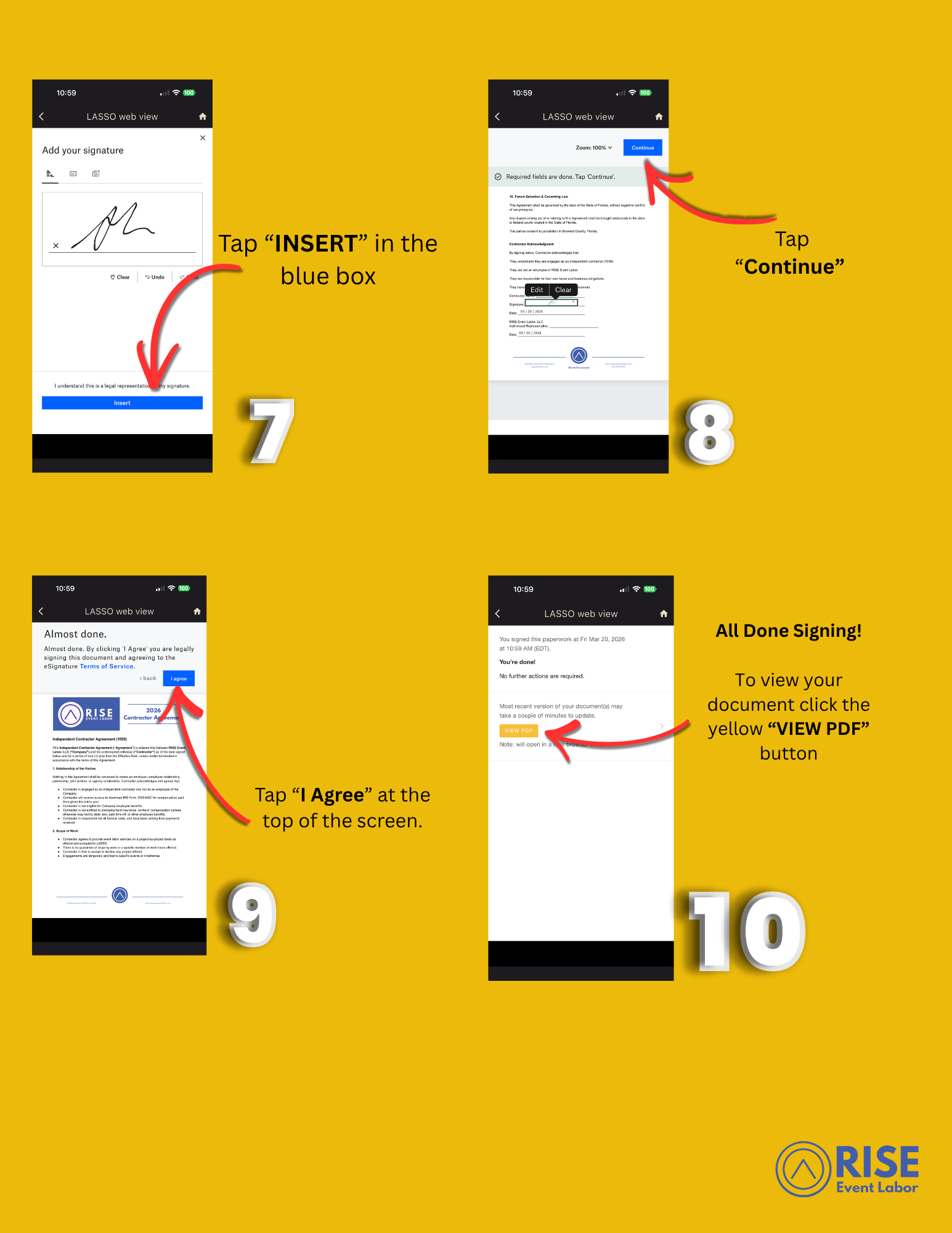
Step-by-step instructions for signing an electronic document on a mobile device, including tapping 'Insert,' 'Agree,' 'Continue,' and 'View PDF,' with yellow background and RISE Event Labor logo at the bottom right.
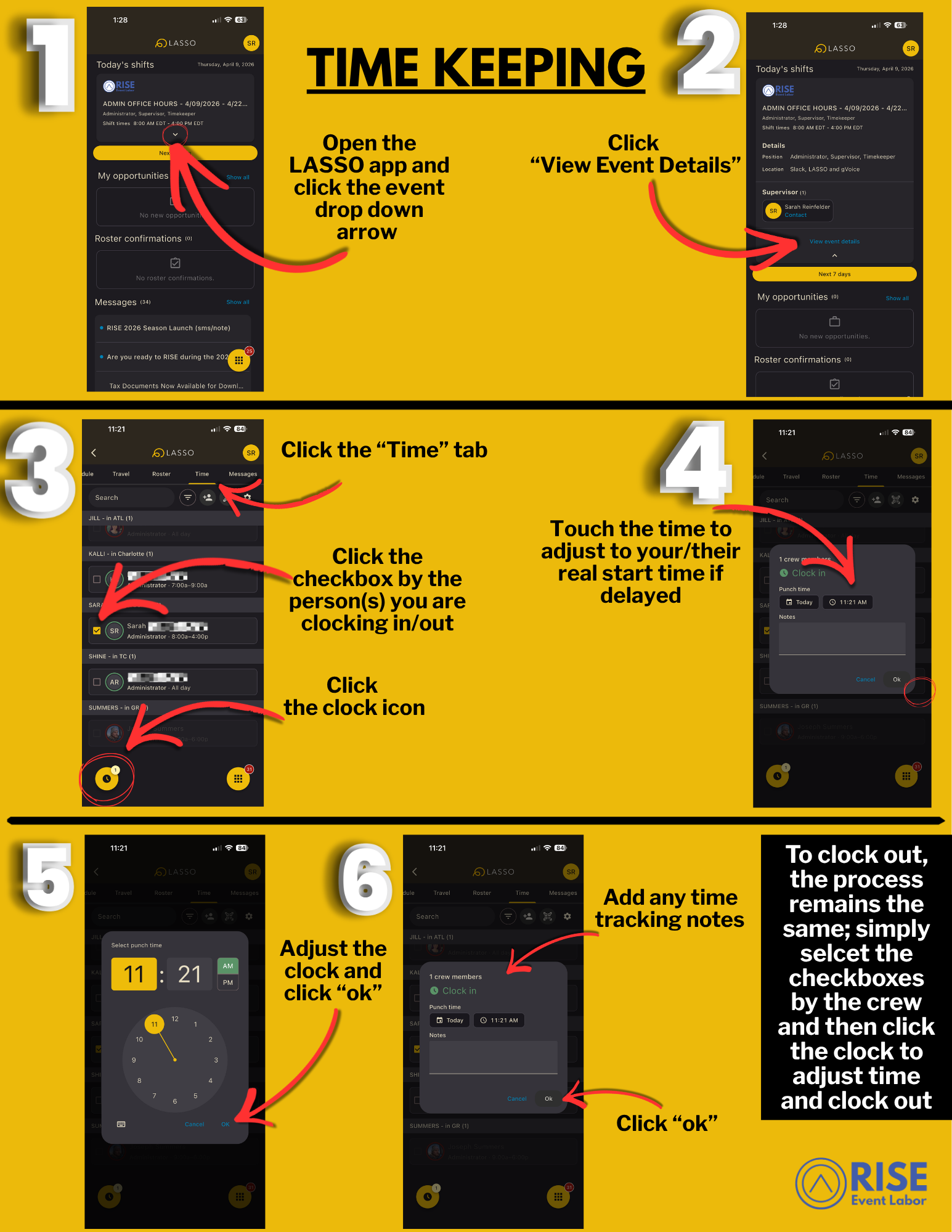
A step-by-step guide to managing work shifts and clocking in and out using the LASSO app. Instructions include opening the app, viewing event details, selecting staff members, adjusting clock-in/out times, and adding notes for shifts.